There are two ways to sign in to Slate.com with your email address: with and without a password.
First, click the Sign In link at the top of any page or go to slate.com/sign-in. Then enter your email address.
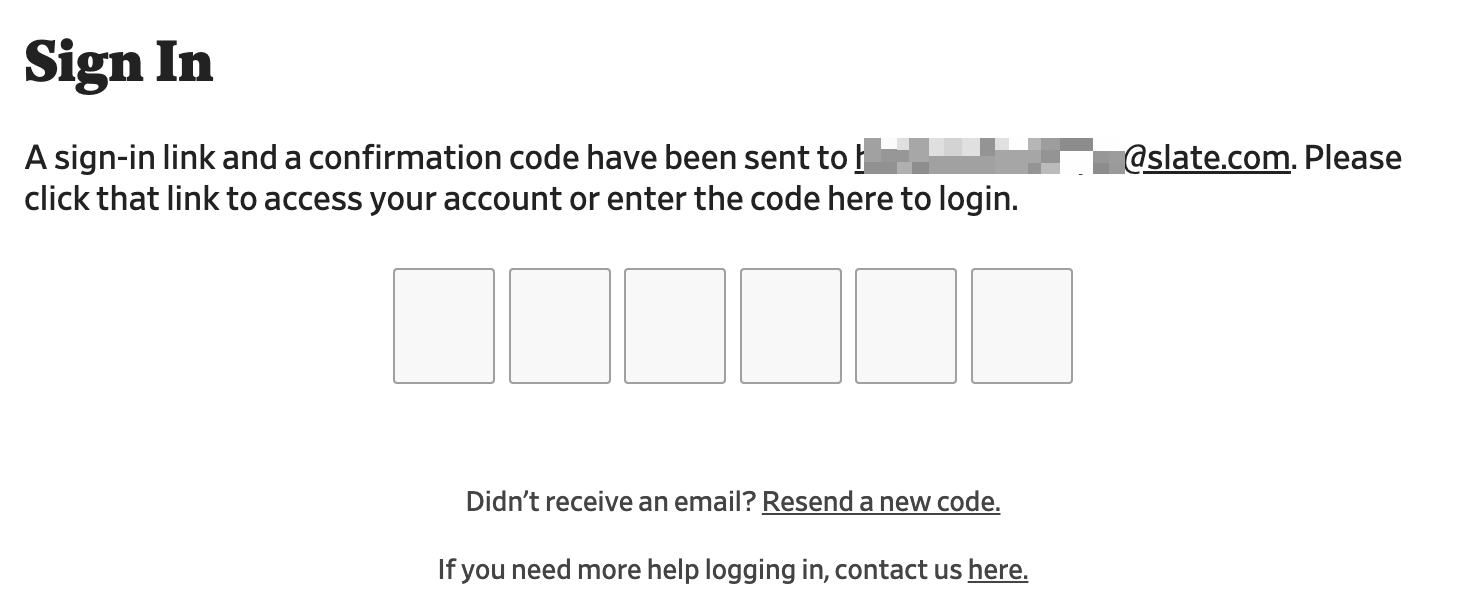
If your account does not require a password, you will be sent an email with a sign-in link and a confirmation code. Either click the link in the email or enter the confirmation code on the screen that appears next.
If you are prompted to enter a password at slate.com/sign-in then your account requires a password. Finish signing in by entering your password. You can also find more instructions here: How do I sign in to Slate Plus?
How to Add a Password to Your Account
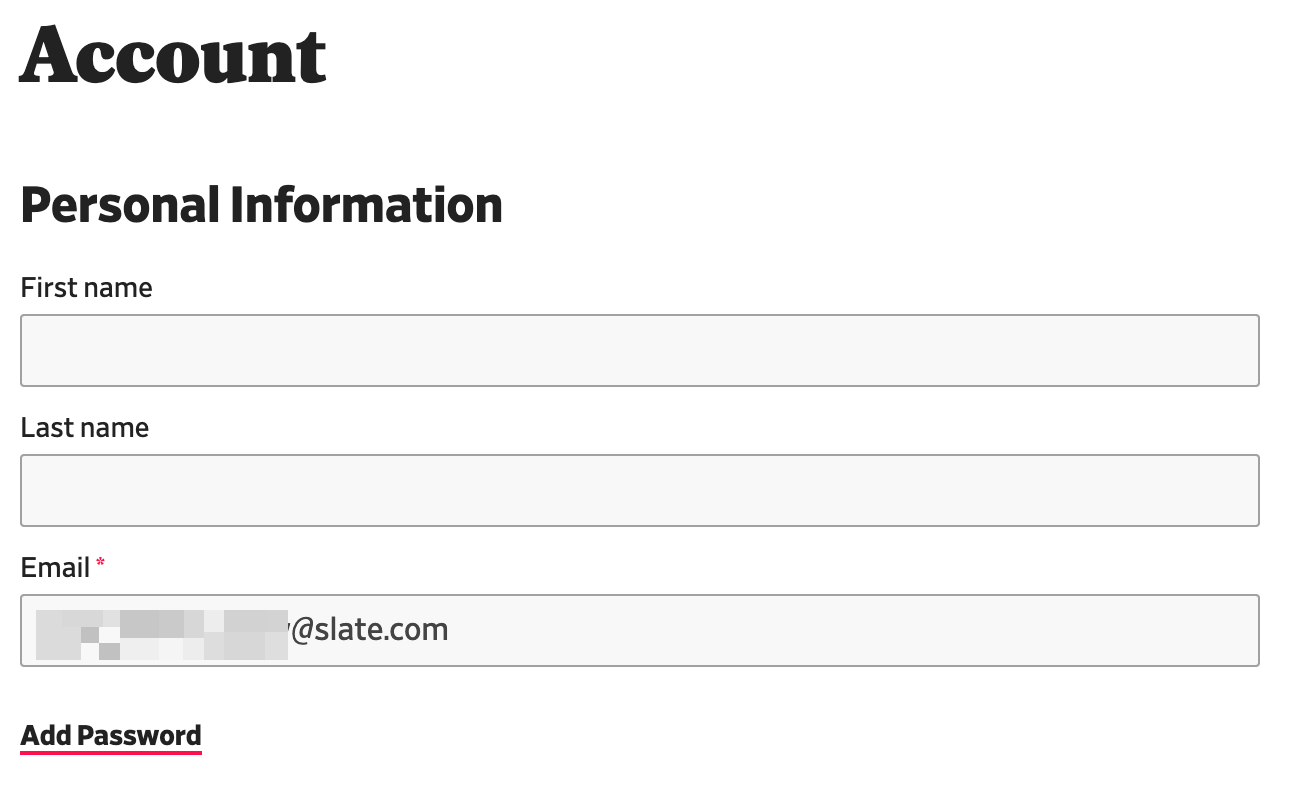
If you would like to sign in with a password in the future, you may add one to your account. Once you do, you will always be prompted to enter both your email and a password.
- Navigate to your Account at slate.com/account.
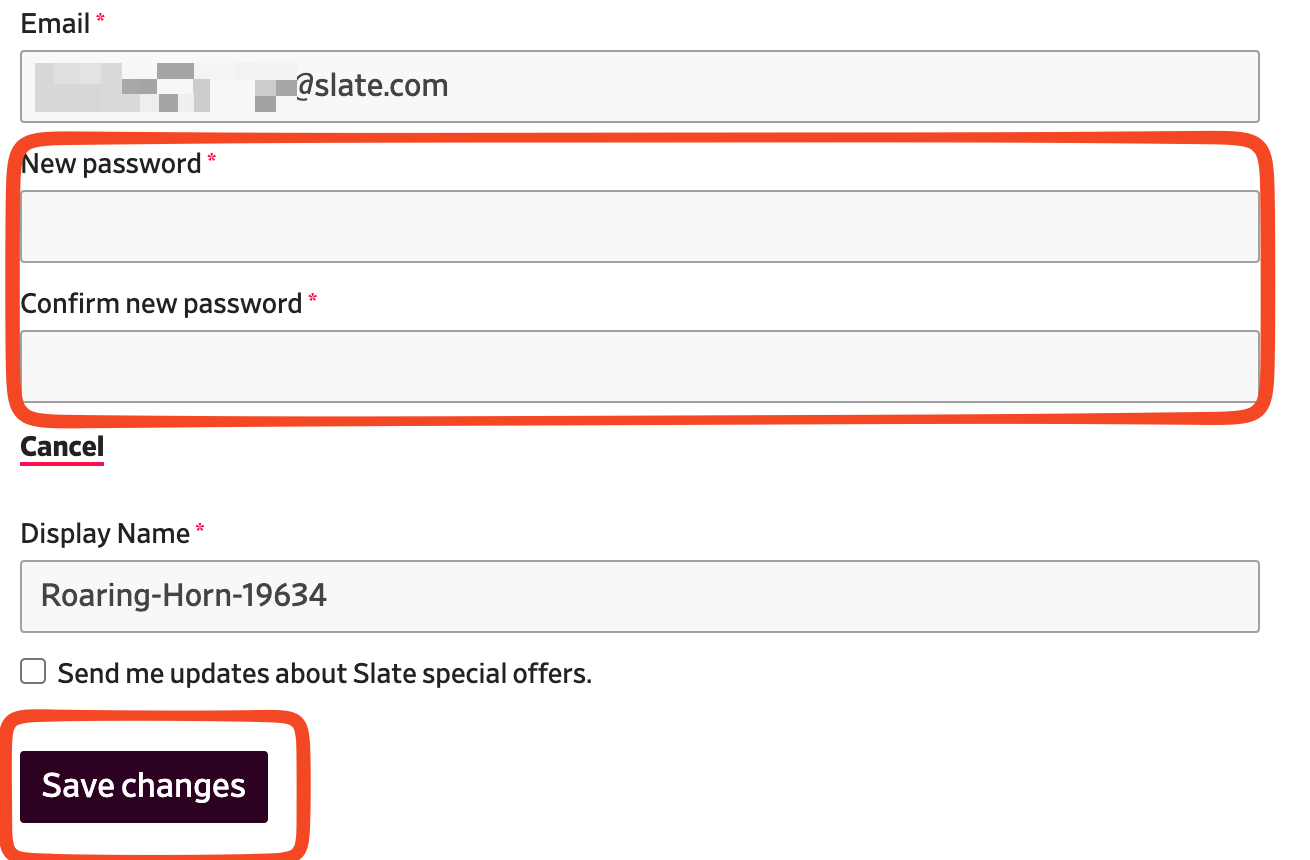
- Under the Email field, click the link for Add Password.
- Two password fields will appear; enter your new password in both.
- You must click Save Changes to save the password.